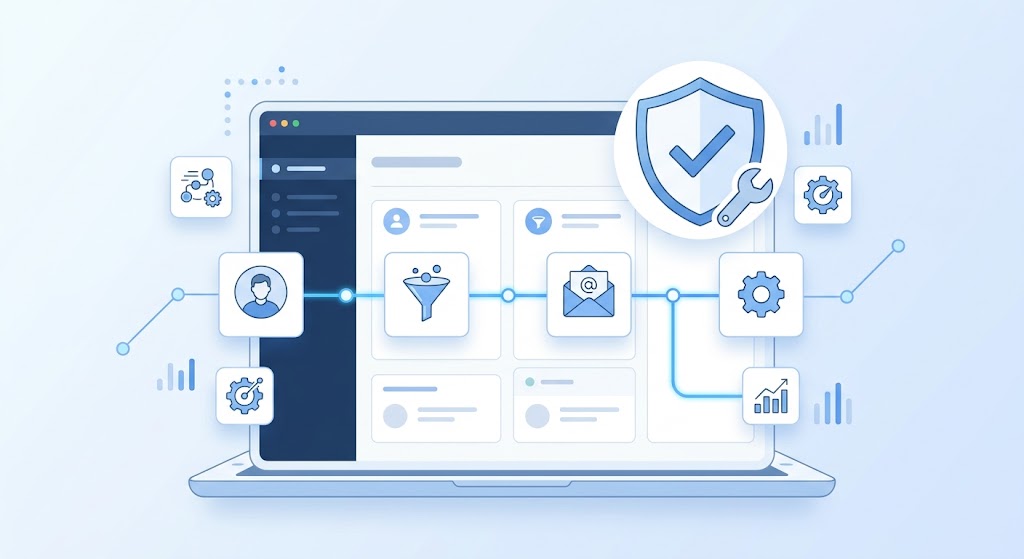
CRM Support Services: Why Your CRM Needs Ongoing Care
Buying a CRM is easy. Getting it to actually run smoothly, month after month, without breaking workflows or losing data — that’s where most businesses run into trouble. A CRM isn’t a “set it up once and walk away” tool. Pipelines change, automations need adjusting, integrations break, and new team members need onboarding. Without ongoing support, even the best-configured CRM slowly drifts into chaos.
That’s the gap CRM support services fill. Instead of treating your CRM as a one-time project, CRM support treats it as a living system that needs regular attention to keep working the way it’s supposed to.
What CRM Support Services Actually Cover
CRM support isn’t one single service — it’s a range of ongoing help that keeps your system reliable as your business changes. Depending on your needs, this typically includes:
Troubleshooting and bug fixes. Automations stop firing, forms stop submitting correctly, or a workflow that worked last month suddenly doesn’t. Support means someone is available to diagnose and fix these issues quickly, rather than letting them sit for weeks.
Workflow and automation adjustments. As your sales process evolves, your automations need to evolve with it. CRM support includes updating existing workflows, adding new triggers, and refining logic so the system keeps matching how your team actually sells.
Integration maintenance. Most CRMs connect to other tools — email platforms, payment processors, calendars, and ad platforms. When one of those tools updates its API or changes how it connects, integrations can break. Ongoing support catches and fixes these before they cause bigger problems.
Data cleanup and management. Duplicate contacts, outdated tags, and messy segmentation build up over time. Regular CRM support includes cleaning this up so your reporting and automation stay accurate.
Team training and onboarding. New hires need to learn the CRM, and existing team members often need refreshers as new features roll out. Support services usually include training, so your team actually uses the system correctly instead of working around it.
Performance monitoring. Good CRM support doesn’t just wait for something to break — it involves regularly checking pipeline health, automation performance, and reporting accuracy to catch small issues before they become expensive ones.
Why Businesses Underestimate the Need for Ongoing Support
Most businesses budget for CRM setup, but few plan for what comes after. This usually happens for a few reasons.
The CRM works fine at first. Right after setup, everything runs smoothly because it was carefully built and tested. The need for support becomes obvious months later, once processes change, and small issues start piling up.
Nobody owns it internally. In many businesses, the CRM was set up by whoever was available at the time, and no one is specifically responsible for maintaining it going forward. When something breaks, it often sits broken because it’s unclear whose job it is to fix it.
Problems start small. A workflow that occasionally misfires doesn’t feel urgent — until it costs you several missed follow-ups and nobody notices for weeks.
Growth outpaces the original setup. A CRM configured for a five-person team doesn’t always hold up once you’re managing twenty. Pipelines, permissions, and automations that worked at a smaller scale often need real restructuring, not just tweaks.
By the time most businesses realize they need support, they’re usually already dealing with lost leads, inaccurate reporting, or a team quietly avoiding the CRM because it’s become more frustrating than helpful.
The Real Cost of Skipping CRM Support
When a CRM isn’t properly maintained, the damage is often invisible until you look closely.
Leads slip through broken automations. If a follow-up sequence quietly stops working, leads go cold without anyone realizing why response rates dropped.
Reporting becomes unreliable. Duplicate contacts and inconsistent tagging make it hard to trust your own pipeline numbers, which makes forecasting and decision-making harder.
Teams stop trusting the system. Once a CRM feels unreliable, reps start keeping their own notes outside of it, which defeats the entire purpose of having a centralized system.
Small issues compound. A minor integration break today can snowball into a much bigger, more expensive fix months later if nobody catches it early.
None of this is dramatic on its own, but together it quietly erodes the return a business is supposed to get from its CRM investment.
What Good CRM Support Looks Like With GoHighLevel
For businesses running on GoHighLevel, ongoing support looks a little different from that of a typical CRM because GoHighLevel combines so much functionality — CRM, automation, funnels, communication — into one platform. That means support needs to cover more ground.
Proactive workflow audits. Rather than waiting for something to break, good support includes regularly reviewing automations and pipelines to make sure they still reflect how the business actually operates.
Fast response to issues. When an automation stops working or a form breaks, the cost of downtime grows the longer it takes to notice and fix. Reliable support means fast turnaround, not a multi-day wait.
Ongoing optimization, not just fixes. Support shouldn’t only be reactive. It should include suggestions for new automations, better segmentation, or smarter follow-up sequences as your business grows.
Clear communication. Because GoHighLevel touches so many parts of the business — sales, marketing, client communication — support needs to explain issues and changes in plain language, not just technical jargon that leaves the team guessing.
Scalable adjustments. As your team or client base grows, your CRM setup needs to keep pace. Good support anticipates this instead of waiting for something to break under the added load.
Signs Your Business Needs CRM Support Right Now
If any of these sound familiar, it’s usually a sign your CRM needs more attention than it’s getting:
Automations that used to work reliably now behave inconsistently.
Your team has started tracking leads outside the CRM because they don’t fully trust it.
Nobody on your team feels confident making changes to workflows without breaking something.
Reporting numbers don’t match what your team knows to be true.
You’ve grown significantly since the CRM was first set up, but the structure hasn’t changed with you.
Any one of these on its own might seem minor. Together, they usually point to a system that’s been running without proper support for too long.
Choosing the Right CRM Support Partner
Not all CRM support is the same, and the difference matters. When evaluating support options, a few things are worth looking for:
Platform-specific expertise. Generic CRM knowledge isn’t the same as deep, hands-on experience with GoHighLevel specifically — its automation logic, integrations, and quirks are different from other systems.
Responsiveness. Ask how quickly issues typically get addressed. A support relationship that takes days to respond to a broken workflow isn’t much better than having no support at all.
Transparency. Good support partners explain what they’re doing and why, rather than making changes in a black box you don’t understand.
A proactive approach. The best support doesn’t just wait for you to report a problem — it actively monitors your system and flags issues before they cost you leads or revenue.
This is exactly the kind of ongoing relationship a GoHighLevel Certified Partner is built to provide — not just getting your CRM set up correctly on day one, but making sure it keeps running that way as your business grows and changes.
The Bottom Line
A CRM is only as good as the attention it gets after setup. The businesses that get the most value out of their CRM aren’t necessarily the ones with the fanciest initial build — they’re the ones who treat their CRM as an ongoing system that needs regular care, not a project that’s “done” once it’s live.
If your CRM feels like it’s slowly drifting out of sync with how your business actually runs, that’s usually the clearest sign it’s time to bring in real, ongoing support.
Frequently Asked Questions
1. What are CRM support services?
CRM support services are ongoing help — troubleshooting, workflow updates, integration maintenance, data cleanup, and training — that keep a CRM running accurately and reliably after the initial setup.
2. Why isn’t a one-time CRM setup enough?
Businesses change over time — pipelines shift, new tools are added, and teams grow — so a CRM configured once needs regular adjustments to keep pace with how the business actually operates.
3. What are common signs a CRM needs support?
Automations behaving inconsistently, reps tracking leads outside the system, unreliable reporting numbers, and nobody feeling confident making changes are all common warning signs.
4. How often should a CRM be reviewed or maintained?
There’s no fixed rule, but regular check-ins — monthly or quarterly, depending on how actively the CRM is used — help catch small issues before they turn into bigger, costlier problems.
5. Can CRM support prevent lost leads?
Yes. A large share of lost leads comes from broken or outdated automations that quietly stop working, which is exactly what ongoing support is designed to catch early.
6. Does CRM support include training for new team members?
Good CRM support usually includes onboarding and training, since a CRM is only effective if the team actually knows how to use it correctly.
7. What makes GoHighLevel support different from typical CRM support?
Because GoHighLevel combines CRM, automation, funnels, and communication tools in one platform, support needs to cover a wider range of functionality than a standard CRM would require.
8. Is CRM support only necessary for large businesses?
No. Small businesses and solo operators depend on their CRM just as heavily, and a broken automation can cost a small team proportionally more, since there’s less room to absorb missed follow-ups.
9. What happens if CRM issues go unaddressed for too long?
Small problems compound over time — leads slip through, reporting becomes unreliable, and teams often abandon the system in favor of manual tracking, which defeats the purpose of having a CRM at all.
10. How do I choose the right CRM support provider?
Look for platform-specific expertise, fast response times, clear communication, and a proactive approach that catches issues before they cost you leads or revenue.


